
Omada EAP772: BE11000 Tri-Band Wi-Fi 7 AP for Hong Kong Offices
 GNS Technology team 9 min read
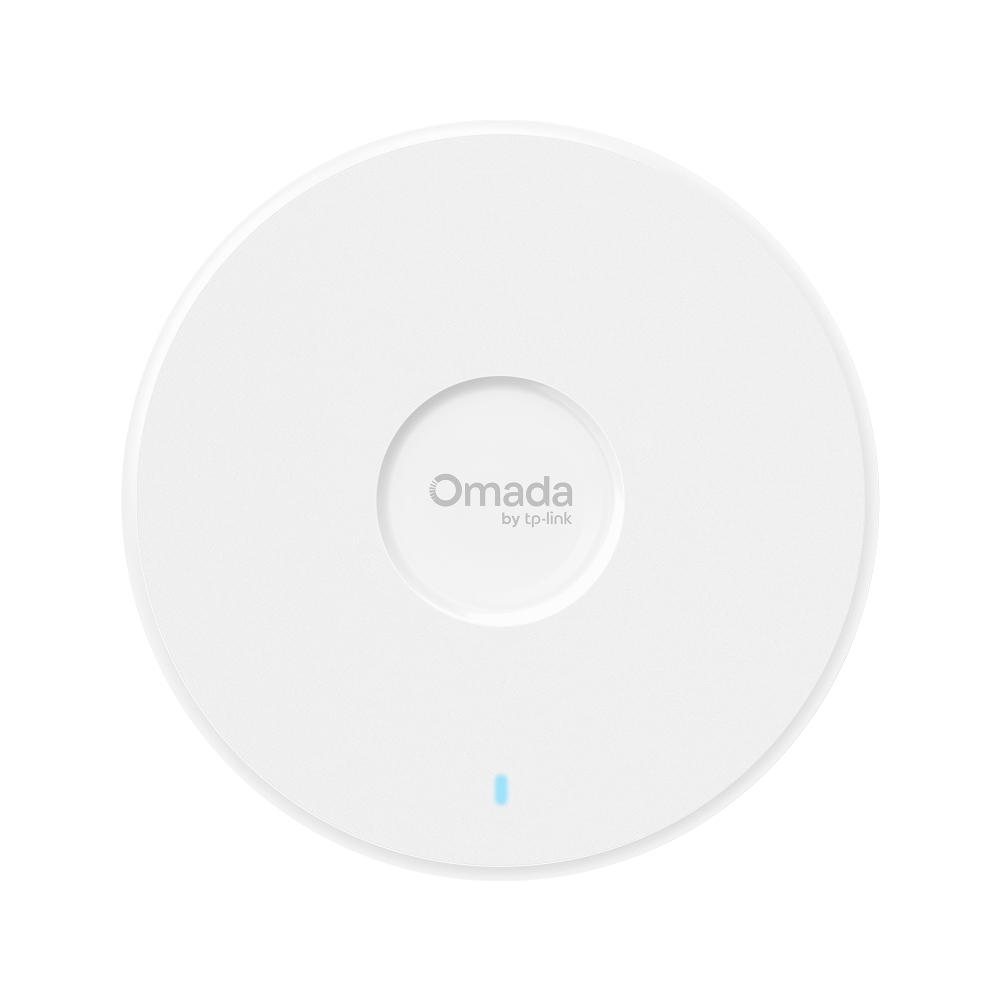
The short answer: the EAP772 is an access point, not a router
The Omada EAP772(US) is a ceiling-mounted Wi-Fi 7 access point. It turns an existing wired network into Wi-Fi; it does not replace the broadband router, firewall, gateway, PoE switch or cabling. A complete office network still needs those components.
The EAP772 puts tri-band Wi-Fi 7, six streams, 320 MHz, MLO and a 2.5G PoE+ uplink into a 220 × 220 × 32.5 mm ceiling or wall-mounted enclosure. It is a sensible middle step for Hong Kong offices that need more than a 1G AP uplink but are not yet ready for a full 10G access layer.
A simple selection rule: choose the EAP772 when the site has Wi-Fi 7 or 6E clients, a reason to use 6 GHz, a 2.5G switch plan and a preference for central Omada management. If the site is still entirely 1G and has no 6 GHz clients, the EAP772 can still work well, but do not assume its highest radio numbers will automatically become real user throughput.
EAP772 specifications
| Item | EAP772(US) |
|---|---|
| Wireless standard | Wi-Fi 7, IEEE 802.11 a/b/g/n/ac/ax/be |
| Bands | 2.4 GHz, 5 GHz and 6 GHz |
| Radio rates | 688 Mbps + 4,320 Mbps + 5,760 Mbps, BE11000 in total |
| Spatial streams | 6 |
| Antennas | 4 internal antennas |
| Wi-Fi 7 features | MLO, 320 MHz, 4K-QAM, MU-MIMO, OFDMA, BSS Coloring |
| Wired interface | 1 × 2.5G RJ45 |
| Power | 802.3at PoE+ or 12V DC; DC power adapter not included |
| Maximum consumption | 25.44 W on PoE; 22.57 W on DC |
| Dimensions | 220 × 220 × 32.5 mm |
| Mounting | Ceiling or wall mount; mounting kit included |
| Management | Omada SDN Controller and Omada App; some features require a controller |
| Wireless security | WPA3, VLANs, client isolation and rogue AP detection |
BE11000 is the sum of three bands
688, 4,320 and 5,760 Mbps are theoretical PHY rates on the three radios. Real throughput is affected by broadband, the wired uplink, switching, channel width, interference, distance, client capability and traffic direction. Do not treat the combined 11 Gbps figure as the speed one phone will receive.
The practical office improvement is often the 2.5G wired uplink. A 1G uplink can become the shared bottleneck for every client on an AP, regardless of the radio's theoretical rate. Used with a 2.5G PoE switch, the EAP772 gives several high-demand clients more wired headroom.
Wi-Fi 7 does not automatically make every client faster
The client also needs Wi-Fi 7
Only compatible clients can use MLO and the full benefit of Wi-Fi 7 channels. The EAP772 remains backward compatible with Wi-Fi 6, Wi-Fi 5 and older devices, but those devices continue at their own capabilities.
Design the WLAN around three client groups:
- Wi-Fi 7 or 6E devices used for high-throughput work.
- General staff and guest devices on Wi-Fi 5 or 6.
- POS, printers, TVs and IoT devices that need reliability rather than headline bandwidth.
If every client is older, the AP still adds capacity and a future upgrade path, but the short-term improvement should not be estimated from theoretical radio numbers alone.
6 GHz usually has a shorter practical range
6 GHz offers cleaner spectrum, but it generally penetrates walls less effectively than 5 GHz. It is not a guarantee that one AP will cover an entire floor, especially through concrete walls, metal shelving, meeting rooms or hotel partitions.
AP count and placement must come from the floor plan, wall construction, ceiling height and user density. The EAP772 is best treated as part of a designed multi-AP network, not as a reason to reduce the AP count simply because it supports 6 GHz.
320 MHz depends on the local environment
A 320 MHz channel needs sufficient contiguous spectrum and must comply with Hong Kong radio regulations. The controller configuration, DFS rules, neighbouring APs and available 6 GHz spectrum can all limit the channel width. “Supports 320 MHz” does not mean every site can run a stable 320 MHz channel at all times.
PoE+ and the power budget
The EAP772 uses 802.3at PoE+ and draws up to 25.44 W on PoE. A quote should do more than say that a switch has “PoE ports.” It should account for:
- operating headroom for every EAP772;
- APs, cameras, access control and VoIP devices sharing the same switch budget;
- start-up peaks, cable loss and heat;
- which devices must remain online through a UPS;
- whether a 12V DC adapter is needed when PoE is unavailable.
A 12V DC option exists, but the adapter is not included. Most offices are easier to operate with a PoE+ switch and UPS-backed power.
Matching the 2.5G uplink
Every part of the wired path must support the intended speed:
- A 2.5G PoE+ switch port;
- A 2.5G switch uplink;
- Cat6 or better cabling installed correctly;
- A gateway, firewall and broadband service that can carry the traffic;
- Clients with suitable Wi-Fi or 2.5G wired capability.
A 1G switch will still work with the EAP772, but the AP will be limited to 1G. That is a network bottleneck, not an EAP772 fault.
Where EAP772 fits in Hong Kong
High-traffic offices and studios
Design, architecture, video, software and other cloud-heavy teams often combine Wi-Fi and wired traffic. The 2.5G uplink and tri-band radio make the EAP772 a useful fit for a multi-AP office with a 2.5G access-layer plan.
Clinics, professional practices and small schools
These sites often need separate staff, guest and management networks. The EAP772 can map SSIDs to VLANs and work with Omada policy for guest isolation and access control. Regulatory or clinical requirements still need review by the organisation responsible for the system.
Restaurants, shops and multi-site retail
The network may need stable POS, staff Wi-Fi, guest Wi-Fi and back-office separation. A standard AP model can simplify repeated branch deployment, but each site still needs its own AP count and placement design.
Home offices and demanding homes
A home with a 2.5G switch, NAS and Wi-Fi 7 clients can use the EAP772 as a wired-backhaul AP. A small flat with only a 1G connection and older phones does not usually need this class of AP.
EAP772, EAP772-Outdoor, EAP773 and EAP787
| Model | Main difference | Better fit |
|---|---|---|
| EAP772 | Indoor tri-band Wi-Fi 7, 2.5G uplink, PoE+ | General offices, shops, clinics and multi-AP indoor deployments |
| EAP772-Outdoor | Outdoor/weatherproof design and 2.5G uplink | Roofs, covered outdoor areas, yards and external warehouses |
| EAP773 | 10G uplink and tri-band Wi-Fi 7 | Indoor sites with a 10G access switch |
| EAP787 | Higher Wi-Fi capacity and 10G uplink | High-density, bandwidth-heavy and higher-budget positions |
Do not buy around radio speed alone. If a company still uses a 1G broadband line and 1G switching, a 10G AP will not make internet downloads ten times faster. AP count, 2.5G switching, cabling and PoE design are usually more valuable.
Controller and management
The EAP772 can be managed through an Omada SDN Controller and the Omada App. Multi-site management, central SSIDs, VLAN profiles, roaming, alerts and role-based administration should be designed around a controller.
Common options include an OC200, OC300 or OC400 hardware controller; a self-hosted or cloud Omada Software Controller; Omada Cloud; or standalone setup for a very small site that may add a controller later.
Agree in writing who owns the controller, how local Wi-Fi and VLANs behave during an internet outage, who approves firmware updates, and how administrator accounts and configuration backups are handed over.
VLANs, guest Wi-Fi and security
The EAP772 supports WPA3, VLANs, client isolation and rogue AP detection, but these features work only when the switch, gateway, DHCP and controller are designed together. Creating an SSID on the AP does not by itself isolate guest traffic.
A practical design usually separates:
- staff Wi-Fi and its business VLAN;
- internet-only guest Wi-Fi;
- POS, printers, CCTV and access control;
- management traffic;
- named administrator accounts and auditable access.
The AP is not a firewall. Inter-VLAN policy, internet security and VPN belong on the Omada gateway or another firewall.
Buying the EAP772 in Hong Kong
- Confirm the exact EAP772(US) SKU, not EAP772-Outdoor or another regional variant.
- Confirm Hong Kong stock, warranty period and the party handling RMA.
- Ensure the ceiling or wall mounting kit is included.
- Decide whether a 12V DC adapter is required; most PoE installations do not need one.
- Include a compatible 2.5G PoE+ switch and controller where required.
- Check ceiling access, cable routes and mounting space before installation.
- Require configuration, VLANs, guest Wi-Fi, testing, labels, documentation and handover in the quotation.
See the EAP772 product page for the current listing and availability, or contact us with a floor plan for AP-count guidance.
What to verify after installation
A Speedtest is not acceptance. Check that:
- every AP name, location and serial number matches the drawing;
- 2.4, 5 and 6 GHz channels and SSIDs follow the design;
- staff, guest, POS, CCTV and management VLANs are isolated;
- roaming between APs does not visibly interrupt calls or internal systems;
- PoE budget, switch health and UPS operation are correct;
- controller alerts, administrator roles and backups have been tested;
- throughput bottlenecks are identified as broadband, uplink, AP or client;
- topology, labels, administrator accounts and warranty records are handed over.
Limitations
- It is an access point, not a router, and cannot replace the broadband gateway.
- 6 GHz support does not mean better wall penetration; AP placement still needs design.
- The 2.5G uplink requires a suitable switch, cabling and upstream network.
- PoE+ requires enough total switch power.
- MLO and 320 MHz depend on compatible clients and legally available channels.
- Installation may involve ceilings, concrete, metal partitions and cable routes; hardware pricing is not a complete project price.
Conclusion
The EAP772's value is not simply that it supports Wi-Fi 7. It combines tri-band Wi-Fi 7, a 2.5G uplink, PoE+ and Omada central management at a practical level. It deserves a shortlist for Hong Kong offices that are planning a 2.5G access layer, multiple APs, VLANs and a separate guest network.
If the site is still entirely 1G, has few modern clients or only needs one AP in a small space, calculate the real bottleneck and total deployment cost before selecting it.
Sources
- Omada EAP772 official product page
- Omada product families
- EAP772 listing, price and availability in this shop
Prepared from public manufacturer information and our catalogue in October 2026. The supplied version, package contents, features, channel availability and warranty are subject to the manufacturer documentation and formal quotation.
Frequently asked questions
Is the EAP772 a router?
No. The EAP772 is an access point and needs a broadband router or Omada gateway, a switch and a wired network.
Does the EAP772 require PoE+?
It can use 802.3at PoE+ or 12V DC. The DC adapter is not included, and a PoE switch must have enough total power.
Can I use the EAP772 with a 1G switch?
Yes, but its wired uplink will be limited to 1G. A 2.5G switch, cabling and upstream network are required to use the full 2.5G port.
Is 6 GHz always faster than 5 GHz?
6 GHz usually has cleaner spectrum but shorter wall penetration. Real speed depends on the client, distance, partitions, channel width and AP design.
Does the EAP772 require a controller?
A small single-AP site can start in standalone mode. Omada controllers are recommended for multiple APs, central SSIDs, VLANs, guest policy and multi-site management.